The Cleaning
Profit Kit.
Make a quote with your own costs. Compare it with the work that actually happened. Keep customer results in view.
- One .xlsx workbook with seven connected tabs
- Fictional examples and a PDF setup guide
- 200 quotes, 200 visits, and 50 customers per workbook
- Use across one business and its team
$79 USD · one payment
Digital download. No physical item. No MaidBench subscription.
Taxes, if applicable, are shown at checkout.
14-day refund policy. Request help or a refund through your order receipt or the seller contact option on the product page.
One workflow.
Seven connected views.
These are previews of the delivered workbook. Sample customer labels, dates, rates, and records are fictional.
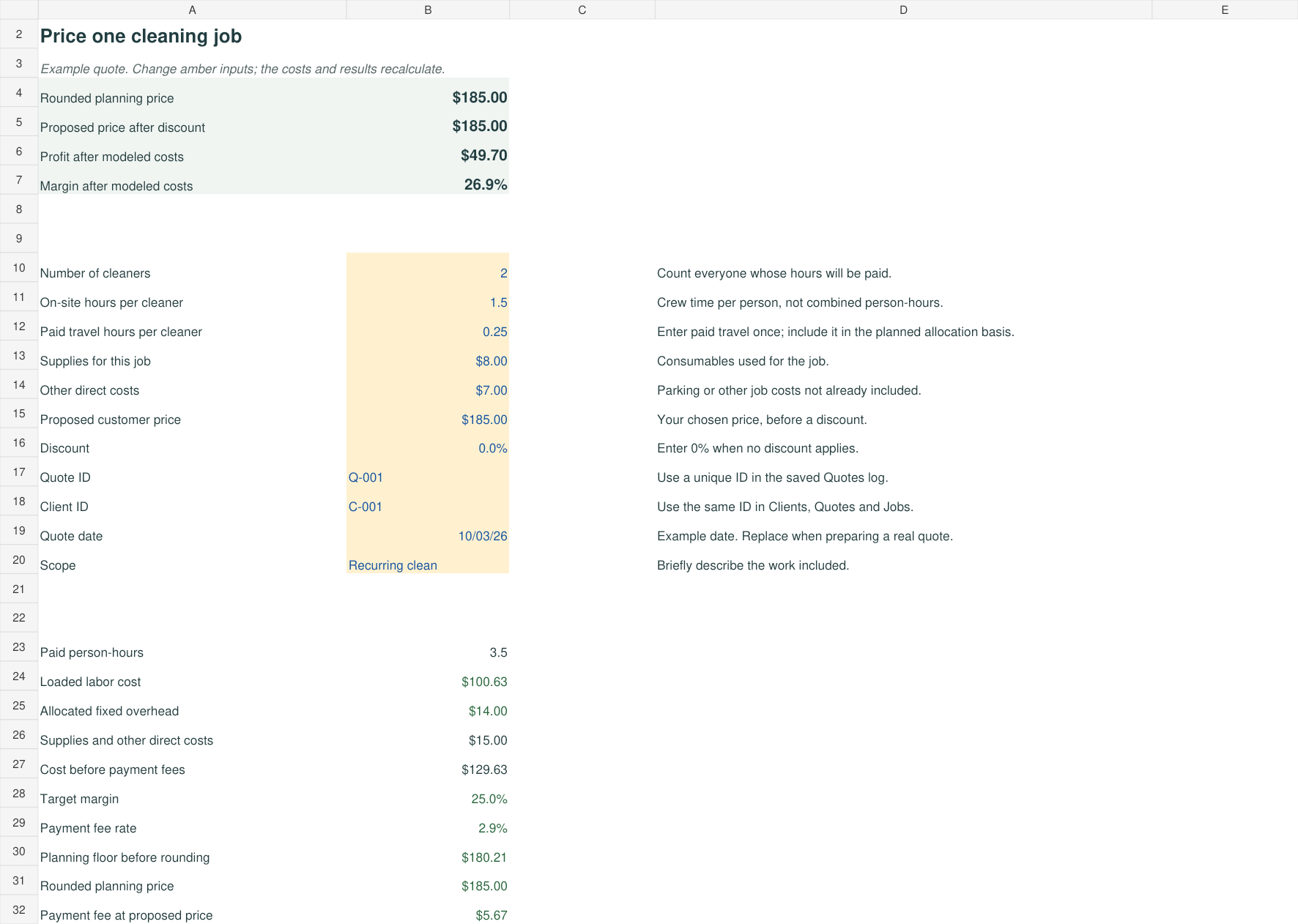
Dashboard
Review a selected period of completed visits, revenue, entered costs, and modeled margin. Incomplete records are flagged before totals can be used.
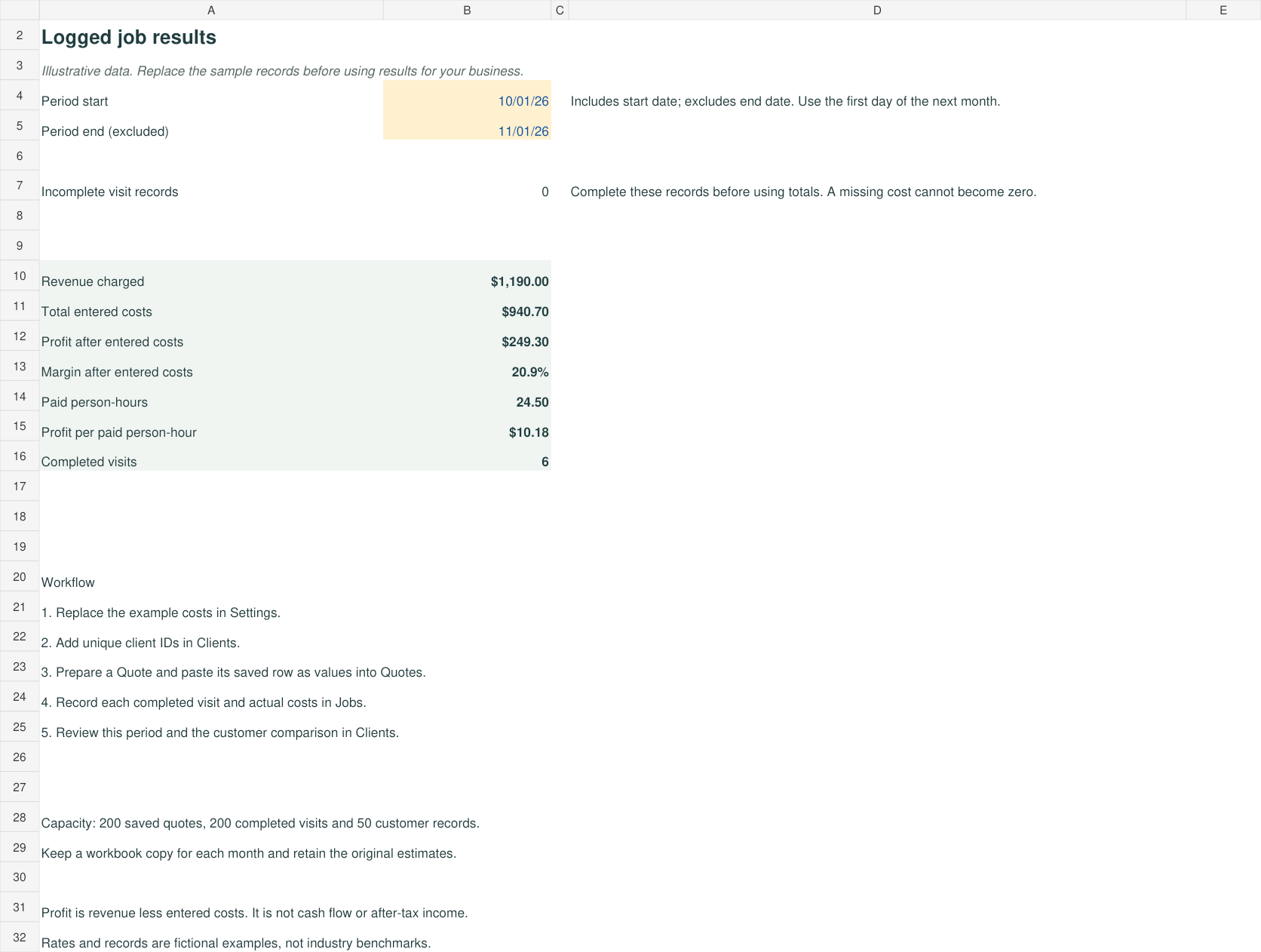
Quote
Model one job with cleaner count, on-site hours, paid travel, labor burden, overhead, supplies, payment fees, and a target margin.
Quotes
Save 200 estimates as values. Preserve the price, time, modeled costs, and fee assumptions you used when you prepared the quote.

Jobs
Record 200 completed visits and actual costs. Compare time and profit with the saved quote where a matching quote ID exists.

Clients
Track 50 customers. Review their logged results and compare annual revenue at a proposed price, with the visit-count assumption clearly shown.

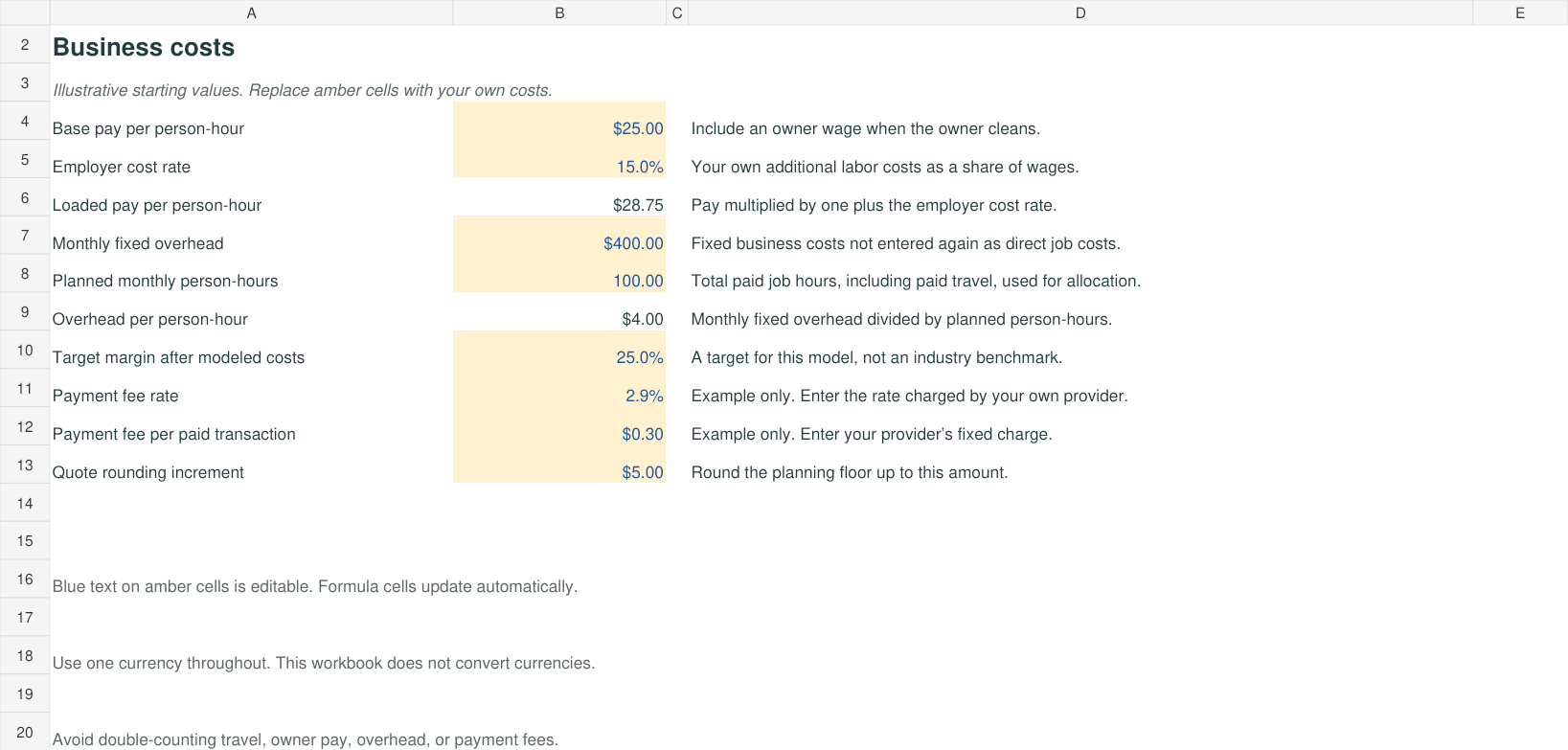
Settings
Enter your own wages, employer costs, overhead allocation, payment fees, target margin, and quote-rounding increment.
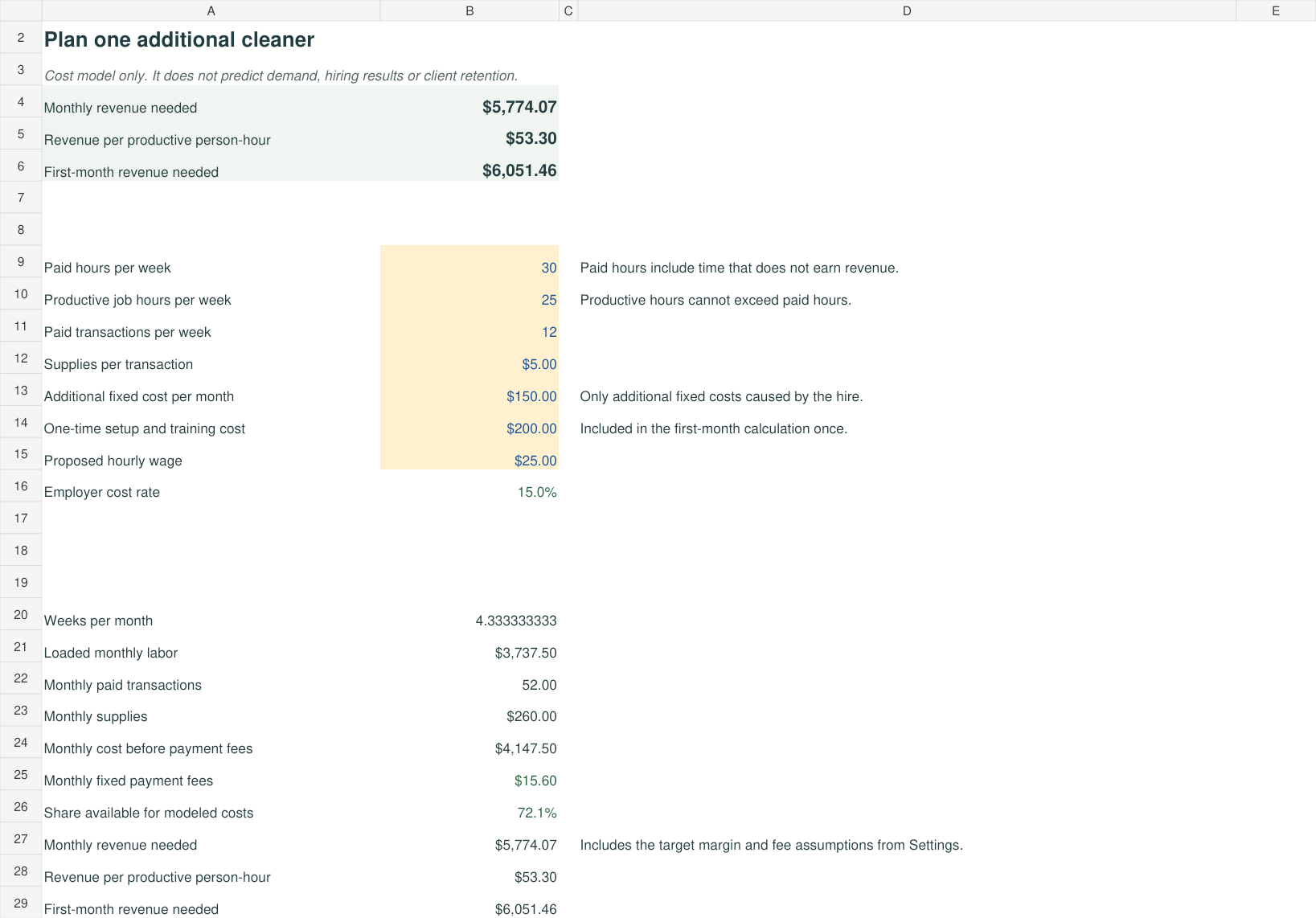
Hiring
Model the revenue an additional cleaner would need to cover entered costs and the target margin. Separate productive hours, paid hours, and one-time setup costs.
Keep the original
estimate intact.
Changing today’s wage or fee assumptions should not rewrite yesterday’s estimate. Copy the saved quote row and paste values into the Quotes log, then record the actual visit costs separately.
The setup guide walks through input cells, customer IDs, quote snapshots, actual costs, and monthly workbook copies.
A practical fit for small teams.
Designed for
- Residential cleaning owners who want a clear cost model.
- Solo cleaners who include their own working wage.
- Small teams tracking paid time and repeat visits.
- People comfortable entering data in a spreadsheet.
Check these requirements
- You need software that opens .xlsx files; a desktop or laptop is recommended.
- Use one currency throughout. The display is USD and there is no currency conversion.
- Google Sheets import is possible; native Excel and Sheets application behavior has not been independently verified.
- The workbook is a cost and comparison tool, not accounting, scheduling, payroll, or market-rate software.
Before you download.
What exactly am I buying?
A ZIP download containing one Excel workbook with seven connected tabs, a PDF setup guide, and a single-business license. The workbook includes fictional examples so you can see the workflow before replacing them with your own data.
Do I need a monthly subscription?
MaidBench charges one payment for the downloadable kit. There is no MaidBench subscription. You need software that can open an .xlsx workbook; Microsoft Excel may have its own cost.
Can I use Google Sheets?
The workbook uses familiar formulas and can be imported into Google Sheets. The delivered file is .xlsx, not a native Google Sheet. This release was checked in a spreadsheet calculation engine; native Excel and Google Sheets application behavior has not been independently verified. Review the example totals after import before relying on your own results.
Is it designed for a solo cleaner or a crew?
Both. It separates cleaners, on-site hours per person, and paid travel. Include an owner wage when the owner does the work. The kit is intended for residential cleaning owners and small teams, with 200 quotes, 200 visits, and 50 customer records per workbook.
Will it tell me what cleaners charge in my area?
It models a price from your own time, costs, fee assumptions, and target margin. It does not provide local market rates or predict customer demand. Check the result against your scope and the market you serve.
How do downloads and refunds work?
Checkout sends your download after a successful purchase. Keep the receipt so you can return to your download and contact the seller. If the kit does not meet your needs, request a refund within 14 days through the seller contact option on your receipt or seller contact page. See the terms and refund policy.
Build a price around
the work it takes.
Start with the free calculator. Keep your quotes, actual costs, and customer results together with the complete toolkit.